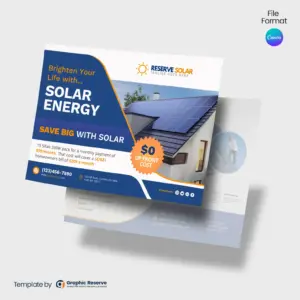
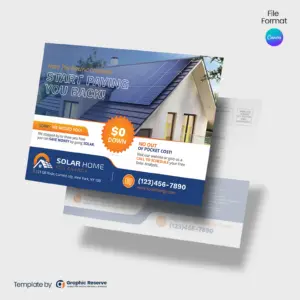
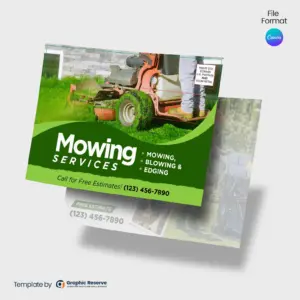
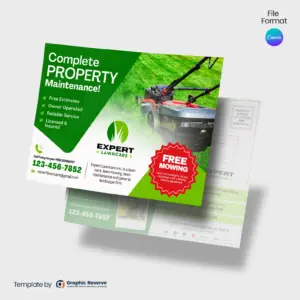
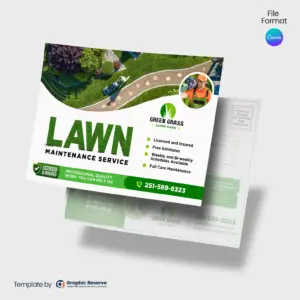
Every Door Direct Mail (EDDM) lets a local business reach every home on chosen carrier routes without buying a mailing list. A ready-made EDDM postcard template gets your offer into those mailboxes quickly:
Targeted neighborhood marketing: mail every household on the ZIP codes and carrier routes you pick.
No mailing list needed: USPS delivers to every address on the route.
Simple postage: EDDM Retail uses flat per-piece postage, with no addresses to print.
EDDM templates for every industry
Home services and contractors: roofing, landscaping, pressure washing, plumbing and more.
Real estate agents: just listed, just sold, open house and neighborhood farming postcards.
Restaurants and retail: discounts, grand openings and seasonal promotions.
Dental and medical offices: new patient offers and checkup reminders.
How to customize and print your EDDM postcard
Choose a layout for your industry from the collection above.
Customize in Canva: update the text, photos, colors and logo. Most designs use Canva Pro elements, and CMYK print export needs Canva Pro; both are included in the free 30-day Canva Pro trial.
Download and print: export a high-resolution PDF with bleed for VistaPrint, GotPrint or your local printer. See EDDM postcard printing costs.
Mail with USPS EDDM: pick your carrier routes online or at your post office and drop off your postcards.
Keep the EDDM indicia and the “Local Postal Customer” line in the mailing panel, and check the size against USPS EDDM requirements before you print.
2,500+ Orders
From 2,000+ small businesses
Print-Ready Files
Export a PDF for any printer
Editable in Canva
No expensive software needed
No Design Skills Needed
Just swap text and images, done
Instant Download
Get started right after purchase
Frequently Asked Questions
What is EDDM?
EDDM stands for Every Door Direct Mail, a USPS service that delivers your postcard to every household on the carrier routes you choose, without a mailing list.
Do I need a mailing list for EDDM?
No, that is the point of EDDM. You choose USPS carrier routes with the free EDDM online mapping tool, and your postcard goes to every household on those routes.
What is the best size for an EDDM postcard?
A common size is 9x6.5 in. Larger postcards such as 11x6 in stand out more in the mailbox. Each product page lists the size of that design.
Can I edit these EDDM templates myself?
Yes. They are Canva templates you customize online with your branding and offer. Most designs use Canva Pro elements, and CMYK print export needs Canva Pro; both are included in the free 30-day Canva Pro trial.
What file format are the templates?
They are Canva templates. Customize them online, then download a print PDF. Each product description lists its details.
How do I design an EDDM postcard?
Start from a template for your industry, replace the sample offer, photos and contact details, keep the EDDM indicia and mailing panel, then export a print-ready PDF.
What are the steps of an EDDM campaign?
Decide what to promote, customize your postcard, make sure it meets USPS EDDM size rules, print it, then choose your routes and submit it to USPS Every Door Direct Mail.
How can I print EDDM postcards for less?
Compare local and online printers such as GotPrint, VistaPrint or UPrinting, order larger quantities for a lower price per piece, and choose a paper stock that balances quality and cost.
This website uses cookies to ensure you get the best experience on our website.