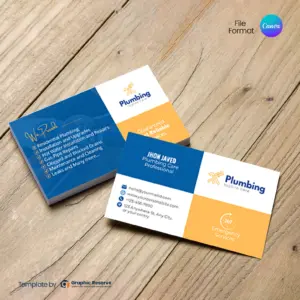
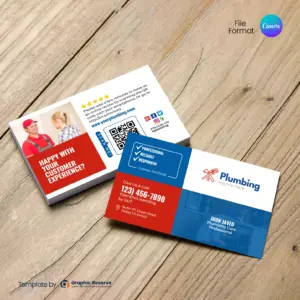
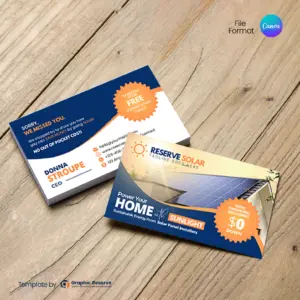
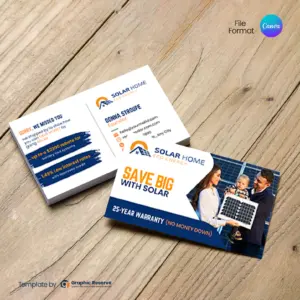
Every design here is made for a specific kind of business, so the services, wording and photos already fit your customers. You replace the sample name, logo, phone number and website with your own.
What to put on a business card
Your name and business name, with your logo
What you do, in a few words or a short list of services
How to reach you: phone, website, email and service area
A QR code to your website, booking page or Google review link
A reason to keep the card, such as a first-visit discount or a price list on the back
Google review cards
A review card is a business card with a QR code that opens your Google review page. Hand it over when the job is done or leave it with the invoice. Ask every customer, not only the happy ones, and never offer a reward for a review: Google does not allow it. See all Google review cards.
Size and printing
Most designs are standard US business card size, 3.5x2 in, and some are vertical. The exact size is on each product page. Most designs use Canva Pro elements, and CMYK print export needs Canva Pro; both are included in the free 30-day Canva Pro trial. Export a PDF Print file with bleed and send it to VistaPrint or your local printer.
2,500+ Orders
From 2,000+ small businesses
Print-Ready Files
Export a PDF for any printer
Editable in Canva
No expensive software needed
No Design Skills Needed
Just swap text and images, done
Instant Download
Get started right after purchase
Frequently Asked Questions
What size are these business card templates?
Most are standard US business card size, 3.5x2 in, and some are vertical. The exact size of each design is listed on its product page.
Can I edit these business cards in Canva?
Yes. Change the text, colors, photos, logo and QR code, then download a print PDF. Most designs use Canva Pro elements, and CMYK print export needs Canva Pro; both are included in the free 30-day Canva Pro trial.
How do I add a QR code to my business card?
Create a QR code for your website, booking page or Google review link with any free QR code generator, then drop the image into the QR placeholder on the template. Scan it with your phone before you print.
What is a Google review card?
A business card with a QR code that opens your Google review page, so customers can leave a review in one scan. Do not offer discounts or gifts for reviews, as Google does not allow it.
Where can I print my business cards?
Export a PDF Print file from Canva and order from VistaPrint, another online printer or your local print shop.
This website uses cookies to ensure you get the best experience on our website.